Naar de inhoud
PPlexa

Everything Plexa can do

One bot instead of ten. Every module can be switched on or off per server, and each one has its own page with commands and details.

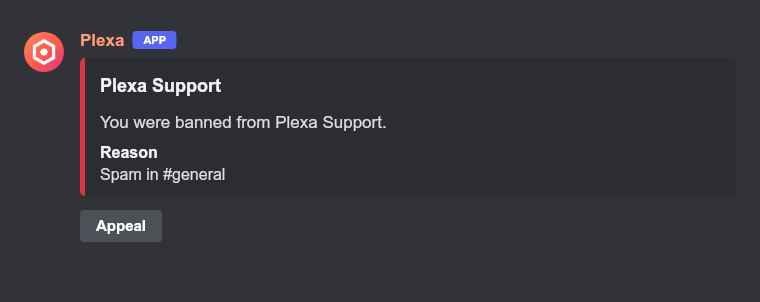
Example of the message a banned member gets, with an Appeal button

Moderation

Warn, time out, kick and ban, with a case history and a mod log.

  • Every action is stored as a case with a number. You can look cases up, and remove a wrong one.
  • Members can get a DM with the reason. Temporary bans lift themselves.
  • Bulk-delete recent messages, optionally only from one member.

/warn/timeout/untimeout/kick

Details →

Automod

Stops spam, scam links, invites and raids automatically.

  • Filters for spam, repeated messages, invites, scam links, all links, mass mentions, caps and blocked words.
  • A built-in word list in many languages, plus your own words with wildcards.
  • Scam bait is caught even without a link (free Nitro, "DM me", prizes).

/automod

Details →
Example of the welcome card Plexa posts for a new member

Welcome and verification

Greet new members, give them roles and let them verify.

  • Welcome and goodbye messages, a picture card with the avatar and a private message to new members.
  • Auto roles for every new member.
  • Verification with a button and an optional small math question that stops bots.

/welcome/verify

Details →

Roles

Self-roles and temporary roles.

  • Role panels with buttons or a dropdown menu, optionally "only one role".
  • Classic reaction roles.
  • Roles that expire after a set time.

/roles

Details →
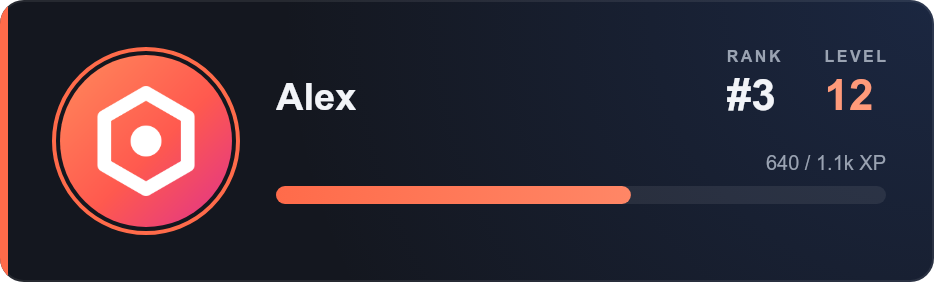
Example of a Plexa rank card with level and XP bar

Levels

XP for chatting and for time in voice.

  • Rank cards, a leaderboard, and an optional public leaderboard page on the website.
  • Reward roles at chosen levels, either all kept or only the highest.
  • Multiplier, cooldown, and channels or roles that give no XP. Off by default on new servers.

/rank/leaderboard/levels

Details →
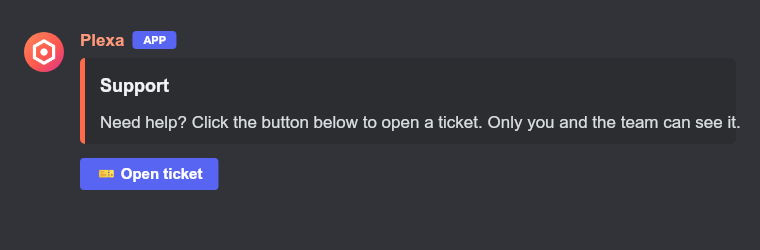
Example of the ticket panel with an Open ticket button

Tickets

Support tickets as their own channels or as private threads.

  • A panel with one button per topic and an optional form with up to five questions.
  • Staff roles, a log channel with transcripts, claiming and a rating after closing.
  • Optional: tickets nobody writes in for a set time get a warning and then close by themselves. Plexa only looks at when the last message w…

/ticket

Details →
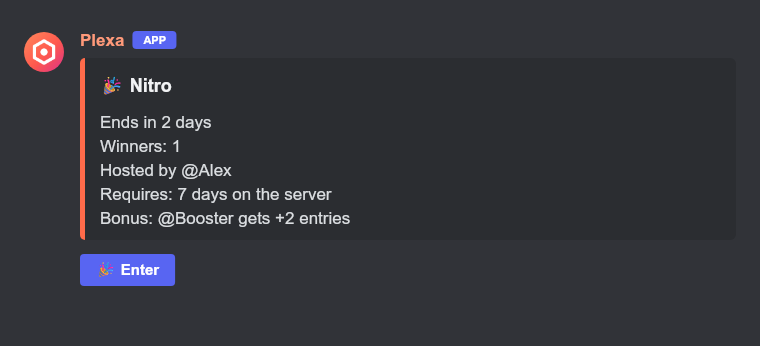
Example of a giveaway with an Enter button, requirements and a bonus role

Polls and giveaways

Live polls and giveaways with requirements.

  • Polls with buttons, live results, several answers, anonymous voting and a timer.
  • Giveaways with an enter button, role, level or time-on-server requirements, extra entries for a bonus role, several winners and reroll.

/poll/giveaway

Details →
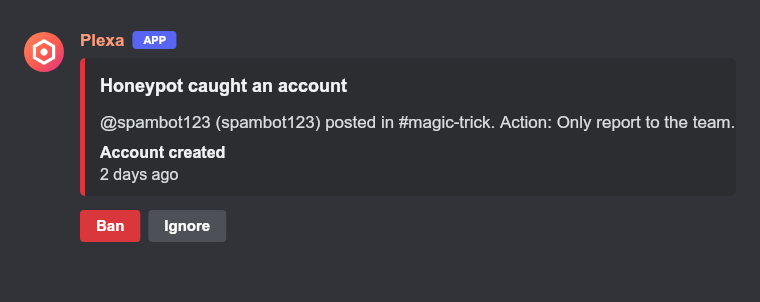
Example of the note the team gets when an account posts in the honeypot channel, with Ban and Ignore buttons

Honeypot

A trap channel that catches hacked accounts and spam bots.

  • Hacked accounts and bots post in every channel without reading. Pick one channel as the trap and Plexa posts a sign there: do not write h…
  • Whoever posts in it is timed out, kicked or banned, or only reported to your team with a Ban button. The trap message is deleted, and the…
  • Moderators and admins are never punished. A banned or timed-out member can appeal with the button in the DM.

/honeypot

Details →

Sticky roles

Members who leave and come back get their old roles again.

  • Plexa remembers the roles of each member while they are on the server and gives them back when they rejoin.
  • Off by default. Turn it on in the dashboard, choose roles that are never given back, and how many days away a member may be (1 to 365, de…
  • Roles with admin or server-management rights, roles above Plexa and roles of integrations are never given back. A banned member gets noth…
Details →
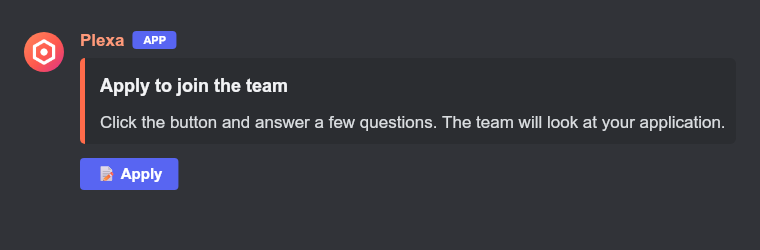
Example of the application panel with an Apply button

Applications

A form with your own questions, reviewed by your team.

  • Up to five questions of your own. Post the panel with one click in the dashboard, or with /applications panel.
  • Finished applications go to a team channel with Accept and Deny buttons. Only the first decision counts.
  • An accepted person can get a role automatically. After a denial there is a waiting time you set before they can apply again.

/applications

Details →

Utility

Small helpers for everyday use.

  • Reminders by duration or clock time, with your own time zone.
  • An embed builder, also with a live preview on the dashboard.
  • Birthdays with an optional role and greeting. Server and user info.

/remind/embed/birthday/serverinfo

Details →

Automation

Let Plexa do repeating work for you.

  • Statistics channels: voice channels whose name shows a live number (members, boosts, channels or roles) and updates about every 10 minute…
  • Scheduled messages: Plexa posts a message at a set time, once, every day or every week, in your time zone and with the same clock time ac…
  • Auto replies: Plexa answers a keyword or phrase by itself, matched as a whole word, an exact message or a start. A short cooldown stops i…

/statschannel/schedule/autoreply/sticky

Details →

Server log

Deleted and edited messages, joins and leaves, role changes, bans, channels and voice, in one channel.

  • Switch each kind of event on or off, and ignore single channels.

/logging

Details →

Translation

Translate messages into your language with a free, self-hosted service.

  • Right-click a message → Apps → Translate, or use /translate.

/translate

Details →

Economy and games

A server currency and a few games.

  • /daily with streak bonus, /work, /pay, a shop for roles and items, trades between members and a rich list.
  • Games: coinflip, slots, blackjack, trivia and tic-tac-toe. Bets use the server currency when Economy is on.
  • A word chain game and a counting game in a channel: everyone counts up together, nobody counts twice in a row, and a wrong number starts …

/balance/daily/work/pay

Details →

Music and radio

Music and internet radio in voice channels, without YouTube.

  • Search SoundCloud by name or paste a SoundCloud, Bandcamp, Twitch, Vimeo or stream link.
  • Thousands of radio stations with /radio.
  • Queue, loop, shuffle, volume and optional DJ roles.

/play/radio/music

Details →

AI chat

Ask Plexa something.

  • Plexa answers when you mention it, reply to it or use /ask.
  • It runs on our own server with a free open model, with a daily limit and a cooldown you can set.

/ask

Details →

Social alerts and invites

Announce new content and see who invited whom.

  • New YouTube videos, Reddit posts and Twitch streams in a channel, with an optional role ping.
  • Invite tracking with a leaderboard, join messages, fake-account detection and invite rewards.
  • A weekly growth report with new members, active channels and top inviters.

/social/invites

Details →

Starboard and suggestions

Let the community highlight and shape the server.

  • Messages with enough star reactions land in a hall-of-fame channel.
  • Members post suggestions, everyone votes, moderators approve or deny.
  • Temporary voice rooms: join a "create" channel to get your own room.

/starboard/suggest/suggestion/voice

Details →

Anti-Nuke and backups

Protection against mass damage, and a way back.

  • Anti-Nuke stops an account that deletes channels or roles or bans members in bulk.
  • Backups save roles, channels and Plexa settings and can create the missing ones again. Nothing is deleted when you load a backup.

/backup

Details →

Privacy

You stay in control of your data.

  • /privacy export gives you a file with everything Plexa stores about you. /privacy delete removes your levels, votes, entries, reminders a…
  • Old data is deleted automatically.

/privacy

Details →

And it is all in the dashboard

  • Search every setting, and choose channels and roles by typing their name.
  • See welcome, goodbye and level-up messages as a live preview before you save.
  • Warn, time out and ban from the website, with notes and a case history.
  • Start polls and giveaways, set up applications and read ticket transcripts.
  • Create statistics channels, scheduled messages, auto replies and sticky messages.
  • Export or restore server backups, and see what changed in the audit log.